Why Buyer Intent Signals Do Not Turn Into Pipeline
InsightsTap•9 min read
Most B2B teams can detect buyer intent — but still can't convert it into pipeline. The problem is rarely signal discovery. It's the signal-to-action gap: what happens after the signal appears.
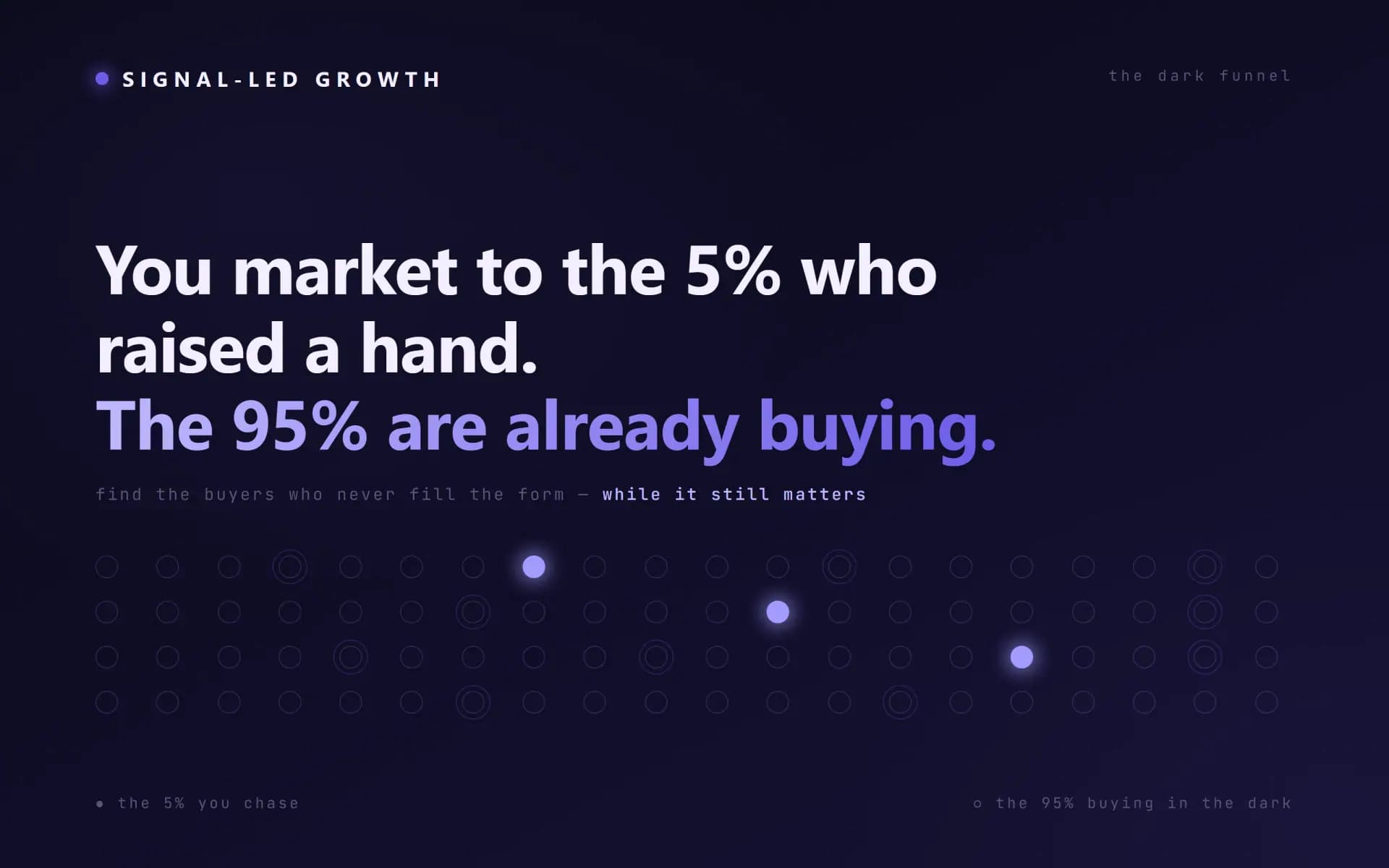
Most B2B teams are no longer blind. They can see website visits, track ad engagement, and enrich accounts. They monitor job changes, funding rounds, technology usage, and hiring activity. They can even identify companies researching a category before those companies ever fill out a form.
So why does the pipeline still feel unpredictable? Because detecting a signal is not the same as converting a signal.
This is the part many teams miss. They buy intent data, build lists, add enrichment, connect a few tools, and assume the system will create meetings. But the real problem is rarely signal discovery. It is what happens after the signal appears.
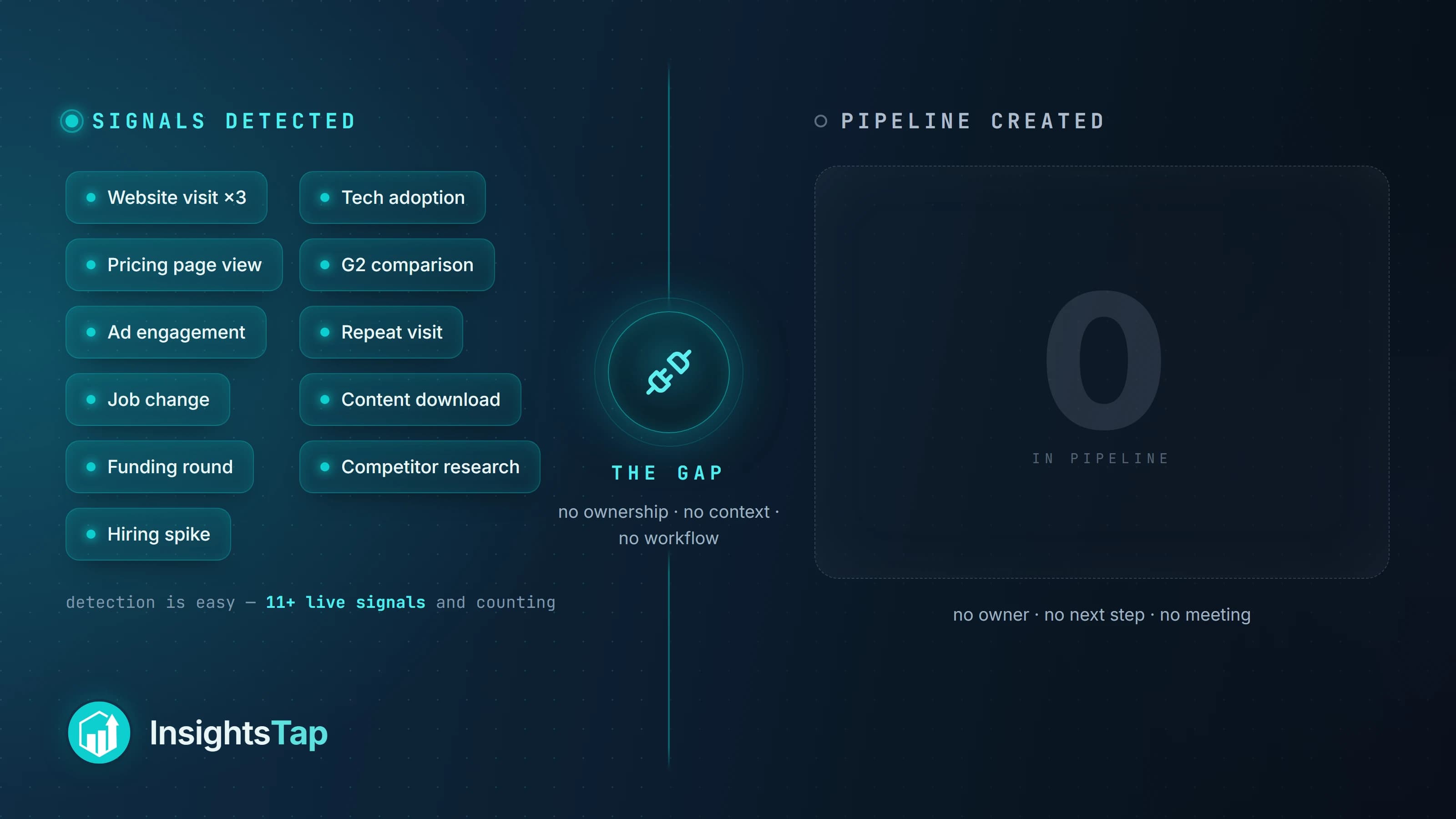
The signal-to-action gap
Signals detected
Website visitsAd engagementAccount enrichmentJob changesFunding roundsTechnology usageHiring activityCategory research
gap
Pipeline created
Nothing routed
Nothing owned
Nothing measured
What falls through the gap
Who sees it?
How fast do they see it?
What context comes with it?
Who owns the next step?
What action should happen?
Did the action actually work?
“The signal-to-action gap is the space between “we know something happened” and “our team acted on it in a relevant, measurable way.””
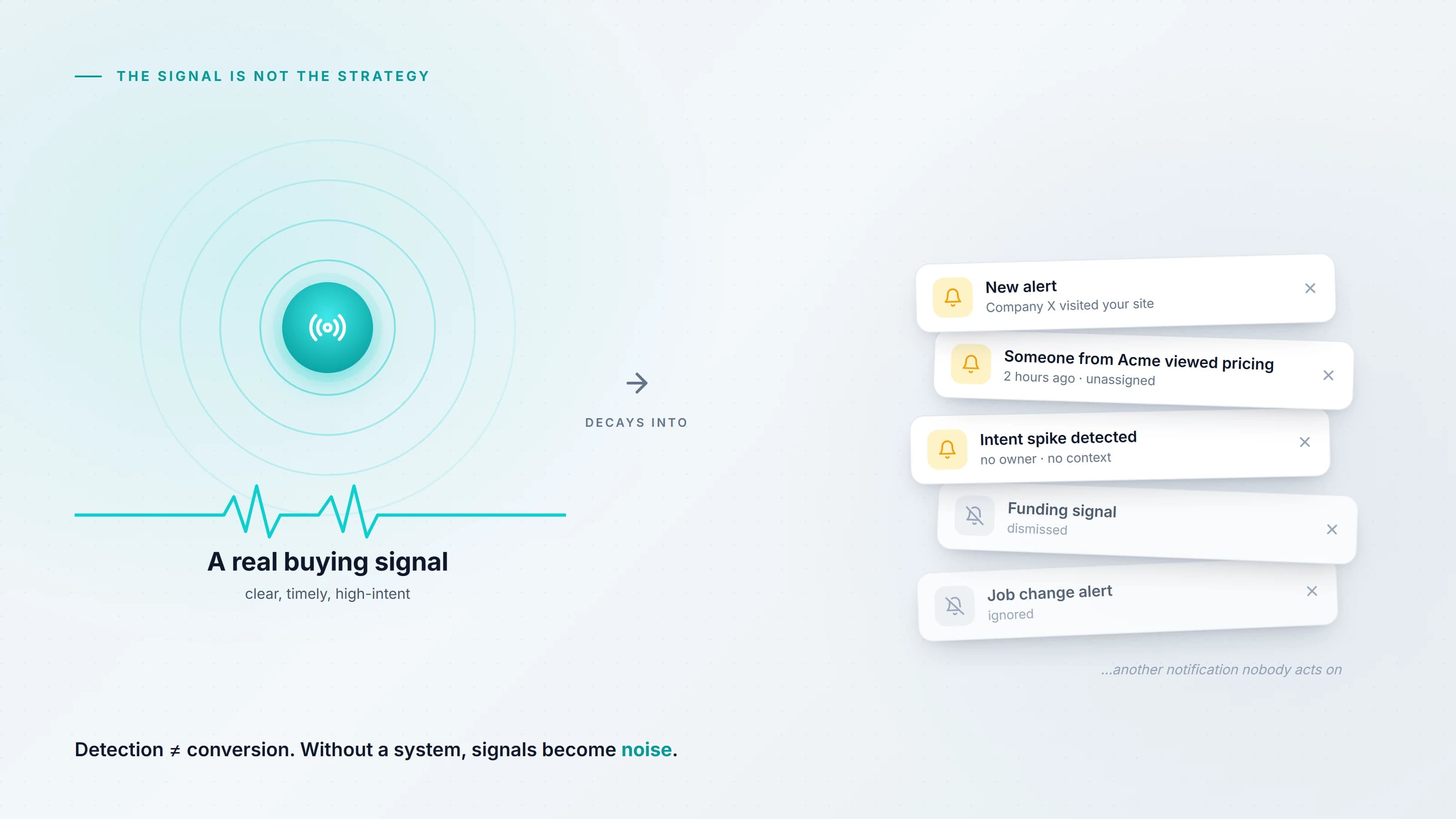
The signal is not the strategy
Buyer intent has become one of the most overused ideas in modern GTM. The promise is attractive: find companies already showing interest, reach them at the right time, and convert them before competitors do. That promise is not wrong — but it is incomplete.
Intent data by itself does not create revenue. A website-visitor alert does not create revenue. A funding signal does not create revenue. A hiring trigger does not create revenue. A Clay table full of enriched contacts does not create revenue. Revenue comes from the response.
The signal only tells you that something may be happening. The system has to decide what it means, whether it matters, who should act, and how the response should change based on the context. Without that system, signals become noise.
When there's no operating system around the signal, four things happen — quietly and expensively:
Sales ignores them because the alerts are not trusted.
Marketing over-nurtures them because the right action is unclear.
RevOps spends time cleaning data that nobody uses.
Leadership sees activity but not pipeline movement.
That is the pattern we see most often: the company has more buyer data than ever before, but no better operating rhythm.
Without a system to route and own it, even a high-intent signal decays into just another ignored notification.
Why signals fail after detection
There are five common reasons buyer signals never turn into pipeline. Each one is a workflow problem — not a data problem.
Each failure drains the signal
Five reasons signals stall after detection
01signal
The signal arrives without context
“Company X visited your website” is not enough. Is the account a fit? Which page did they visit? Is there an open opportunity? Has anyone engaged before? Do they use a competing tool? Without context, the signal is just another notification — and notifications are easy to ignore.
02signal
The signal has no owner
Many workflows fail because everyone assumes someone else will act. If the workflow does not say who acts next, nothing happens with urgency. Every signal should have an owner — not a department, but a person, role, queue, or defined workflow.
03signal
The response is too slow
Relevance decays. A signal is most useful while it is still connected to the buyer's current problem. If a target account visits an implementation page today and sales sees it two weeks later, the moment is weaker. Speed isn't about spamming buyers faster — it's about acting while the context is still fresh.
04signal
Every signal gets the same response
Many automation systems detect different signals, then trigger the same generic outreach. Website visit? Send sequence. Funding round? Send sequence. Hiring spike? Send sequence. The buyer feels it immediately. Good signal-led outreach isn't just faster — it's more relevant.
05signal
The outcome is not measured
Most teams measure whether the workflow ran — task created, email sent, contact enriched, alert delivered. But those are system events, not commercial outcomes. If the results never feed back into the system, the workflow never gets smarter.
So instead of asking whether the workflow ran, ask whether it worked:
Did the signal create a relevant conversation?
Did the account move forward?
Did the sales team trust the alert?
Was the timing useful, and did the personalization match the buyer context?
Did the workflow produce false positives?
Which signals actually influenced the pipeline?
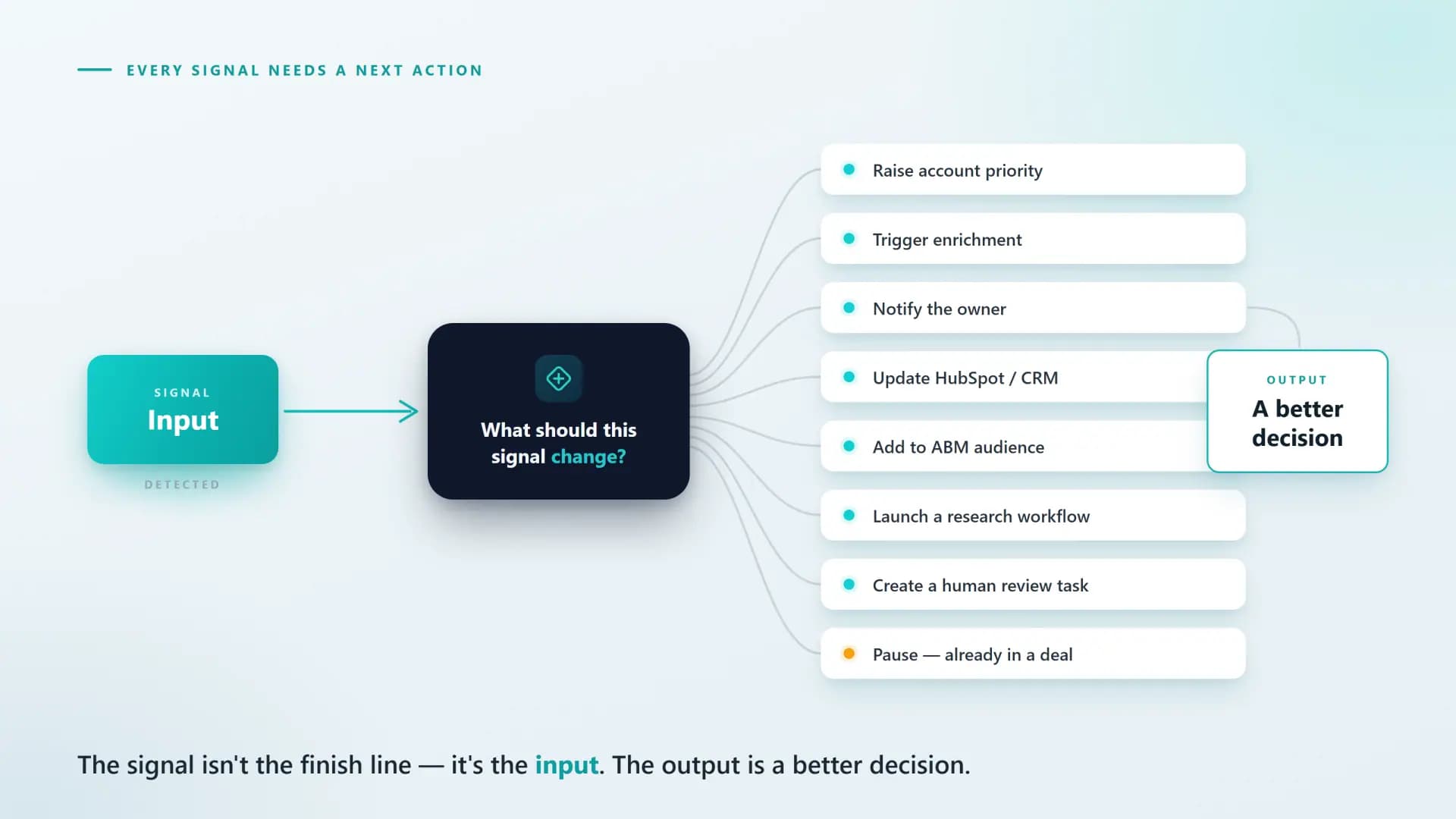
The new rule: every signal needs a next action
This is the simplest way to improve signal-led GTM: do not collect a signal until you know the action it should inform.
Before adding a new source, ask what the signal should change. Should it change account priority? Trigger enrichment? Notify sales? Update HubSpot? Add the account to an ABM audience? Launch a research workflow? Create a human review task? Or pause automation because the account is already in an active opportunity?
This is where buyer intent becomes operational: the signal is the input, and the output is a better decision.
Five signal-to-action plays you can build
Here are five practical workflows that move beyond signal detection — each one turns a specific trigger into an owned, contextual action.
01
Play 01
High-intent website visits
Trigger
A target account visits a high-intent page more than once within a defined window.
Action — Upgrade account priority, notify the owner, and recommend a buying-group response instead of separate leads.
Why it works: B2B deals aren't decided by one person — when multiple stakeholders move, the system should read the account-level pattern.
The signal response ladder
A strong signal-led workflow usually climbs six rungs. Together they form the loop we run inside the DARK Loop Intelligence System — where each rung compounds the last.
DetectEnrichScoreRoutePersonalizeLearn
Rung 1
Detect
Capture the signal from a reliable source — website intent, job changes, funding, ad engagement, product behavior, CRM activity, or third-party account intelligence.
Rung 2
Enrich
Add the missing context: the account, people, roles, timing, technology, and relationship history that make the signal legible.
Rung 3
Score
Decide how important the signal is — weighing fit, timing, strength, source quality, buying-group activity, and commercial relevance.
Rung 4
Route
Send the action to the right owner or workflow: an SDR, AE, CSM, founder, marketing audience, RevOps queue, or AI research agent.
Rung 5
Personalize
Shape the response around the signal so it answers why this account, why now, why this offer, and why this person.
Rung 6
Learn
Record the outcome — engagement, conversation, opportunity movement, or pipeline — and feed it back so the system keeps improving.
Outcomes feed rung 1 — the loop restarts
What to automate and what to keep human
Not every part of the workflow should be automated. Automation is powerful for the repetitive work; human judgment is irreplaceable for the strategic calls.
Let automation handle
Capturing signals
Enriching records
Matching accounts
Updating CRM fields
Creating tasks
Summarizing account context
Routing alerts
Drafting first-pass messaging
Keep human judgment for
Reviewing strategic accounts
Handling active opportunities
Approving sensitive messages
Interpreting complex buying committees
Deciding when not to automate
Adding relationship context the system can't see
“The best GTM systems don't remove humans from the process. They remove the manual work that stops humans from acting at the right moment.”
How InsightsTap helps teams close the gap
InsightsTap builds signal-led GTM systems for B2B teams that want buyer activity to turn into owned, measurable revenue action. The goal is not to add more tools — it's to make the tools you already have work together around a clear revenue decision.
Website visitor identification and intent workflows
Clay enrichment and AI research systems
HubSpot and Salesforce automation
Signal scoring and routing logic
Job change, hiring, and funding trigger workflows
AI-assisted account summaries and personalization
Signal-led outreach and ABM plays
Reporting that connects signals to meetings and pipeline
A quick diagnostic for your team
If you want to know whether you have a signal-to-action gap, ask these eight questions. If the team can't answer them clearly, the issue isn't just data — it's workflow design.
Which buyer signals do we currently trust?
Which signals create action today?
Who owns each signal when it appears?
How quickly does the owner see it?
What context comes with the alert?
Does the response change based on the signal?
Do we record whether the action worked?
Which signals influenced pipeline last month?
The real advantage is response
Every company is trying to find buyers earlier, and that part is getting easier. The harder part — the real advantage — is building a system that knows what to do when buyer movement appears.
The advantage isn't having every possible signal, sending more automated emails, or building dashboards nobody acts on. The advantage is response: seeing the right signal, adding the right context, routing it to the right owner, responding with relevance, and learning from the outcome.
“That is how buyer intent turns into pipeline. Not more signals — a better response.”
Your team has the signals. Let's turn them into pipeline.
If you already have buyer signals but they aren't turning into meetings, InsightsTap can help you close the signal-to-action gap — with enrichment, routing, ownership, and AI-assisted workflows.